PM: Activities: Built-In Report
Overview
The Activity Report screen is a built-in dashboard of the activity's performance. Information for a location and period will not appear on this screen until actuals data for that location and period has been entered.
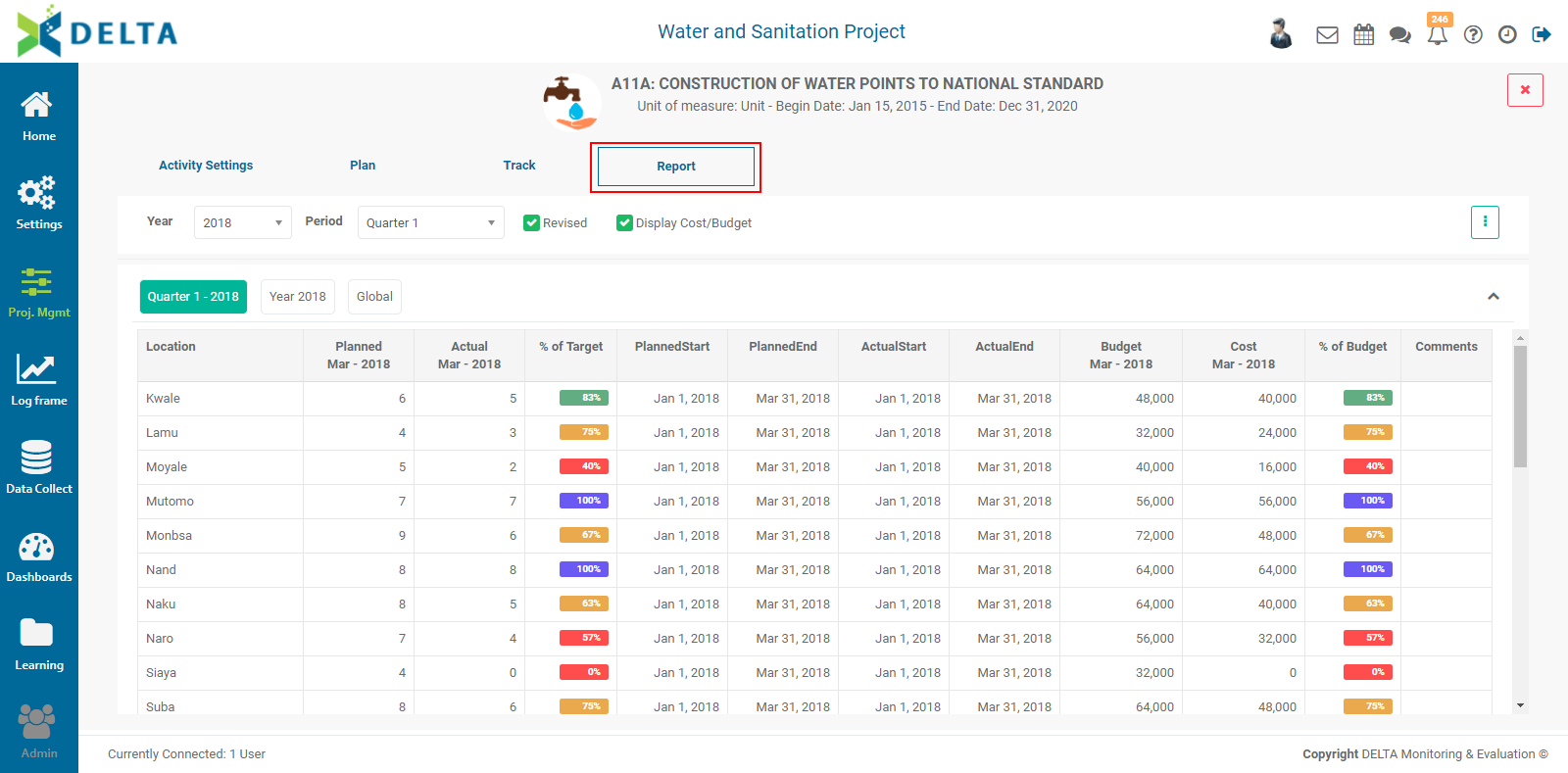
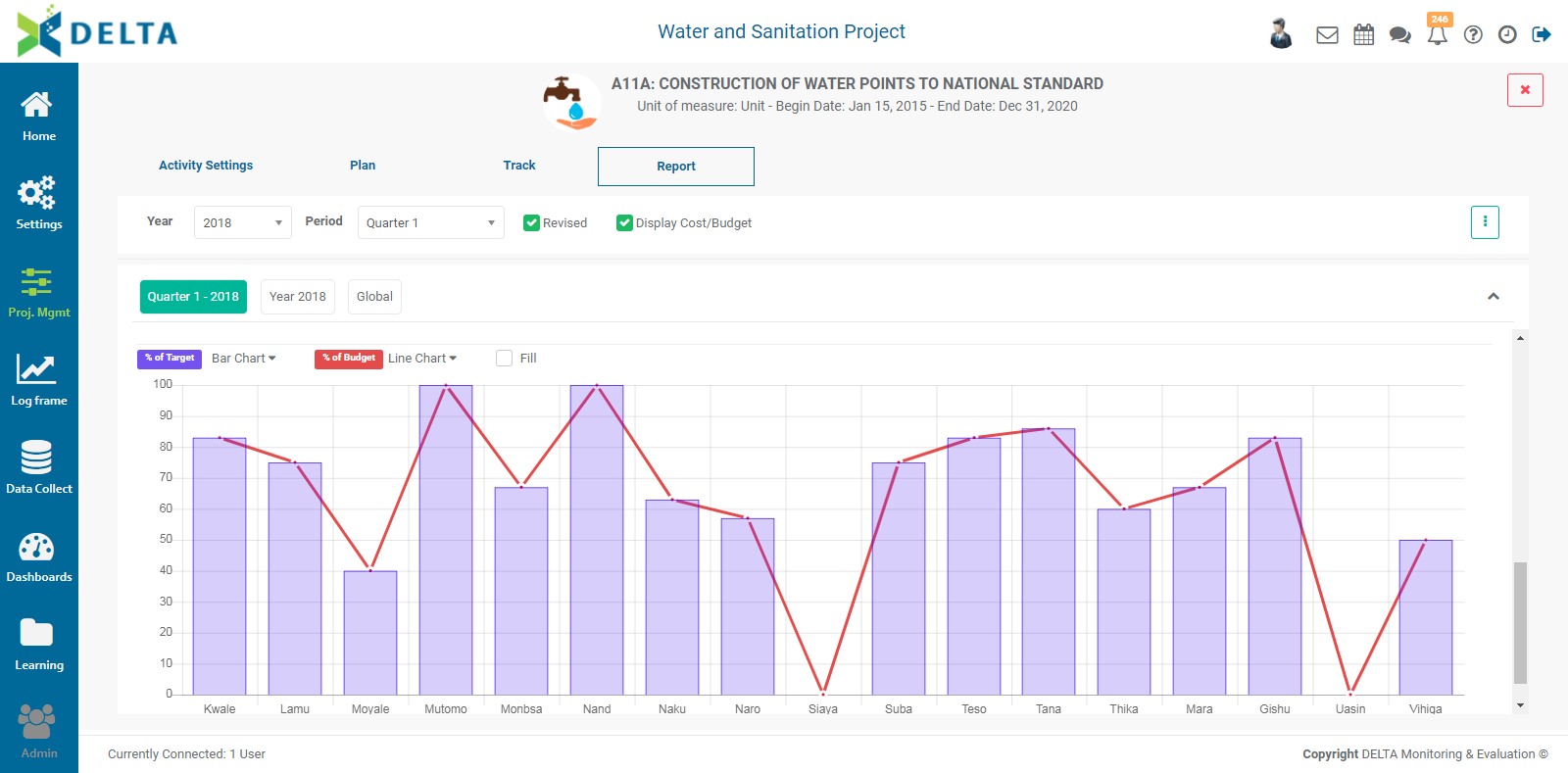
The top part of the screen displays the performance data in tabular form for the selected year and period, while the bottom part of the screen shows summary data in graph format. The color-coded performance markers in the table are based on the flags you set up in the project settings.
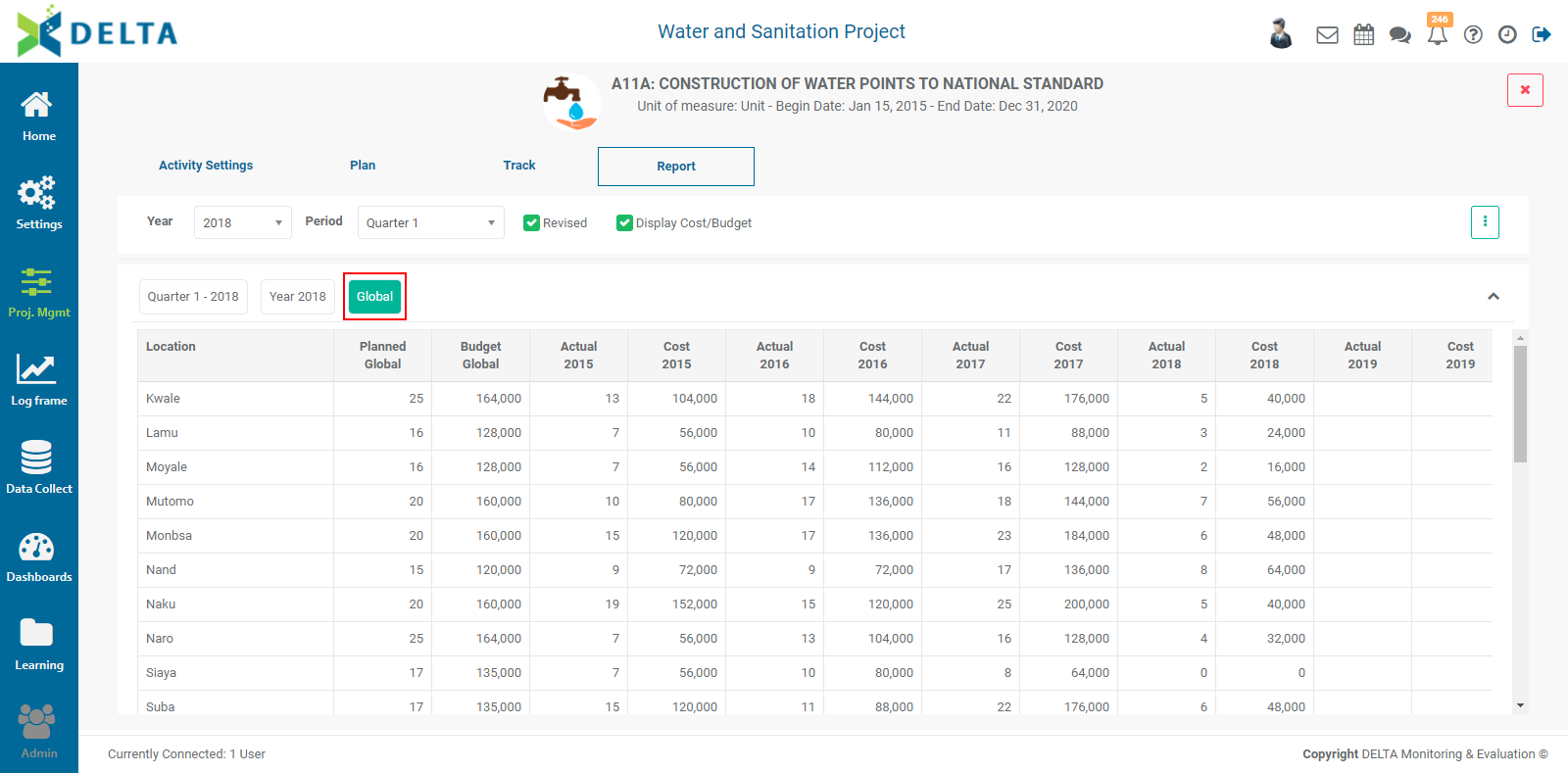
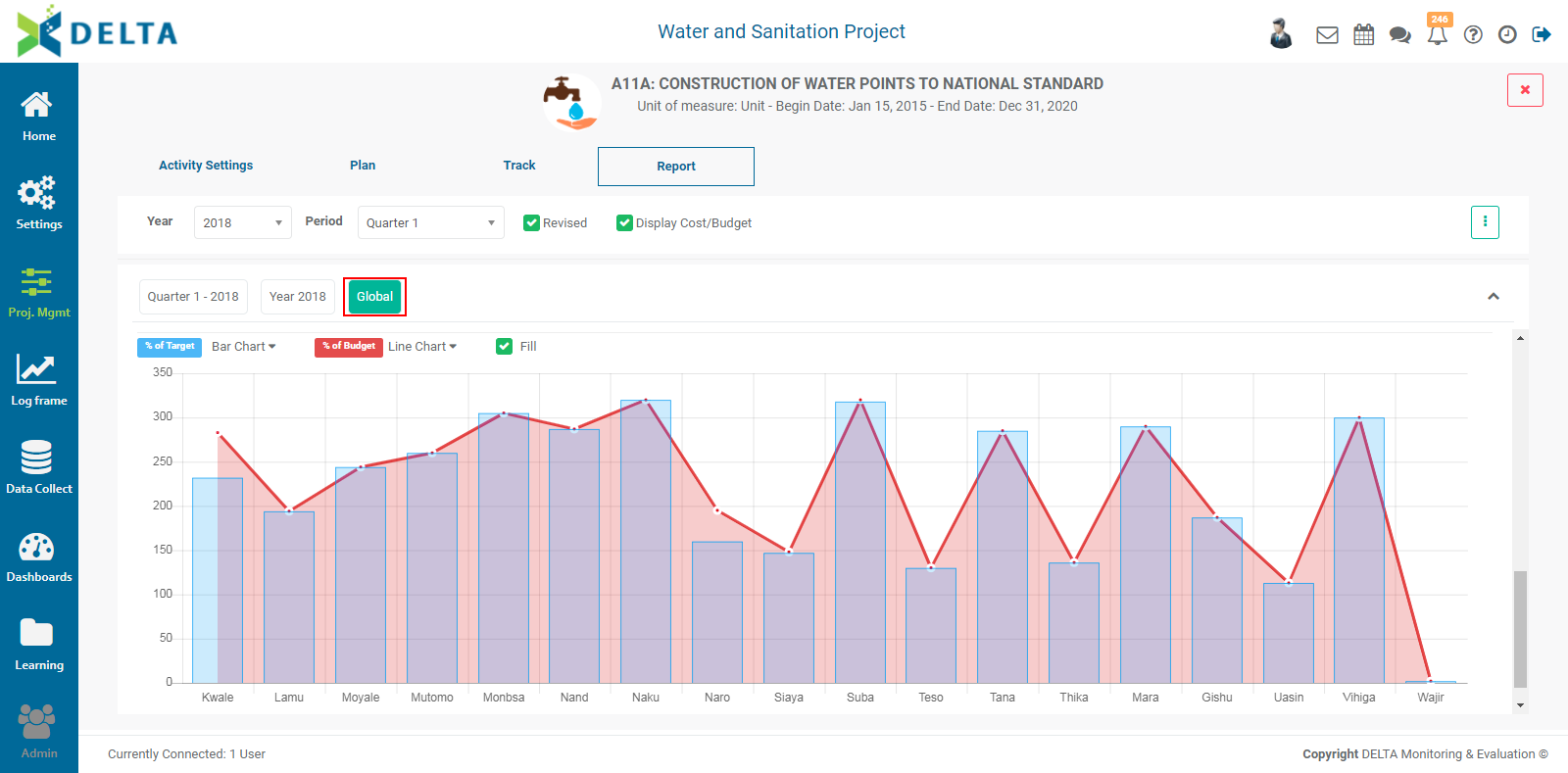
A Global view is also available to display performance data for the entire timeline of the project, including a summary graph at the bottom of the page.
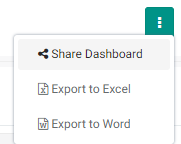
To Share the report, click on the vertical More icon at top left and select Share Dashboard from the menu.
Enter a comment, then click the Share With tab to select recipients. The selected stakeholders will receive a notification as a color dot on top of the Chatroom icon in the main toolbar at the very top right of the screen.
To export this dashboard, click on the More icon, and select either Export to Excel or Export to Word. NOTE: the export file will contain only the currently selected data (year and period) unless Global is selected.
Previous: PM: Activities: Tracking an Activity | Next: PM: Activities: Associating Indicators to an Activity