Indicators: Set Baselines
The next top-level tab in Indicators is Set Baselines. This function has been consolidated here for ease of access. In previous versions of Delta, it was located in an indicator's More menu.
Set Baselines is where you'll be entering baselines and final targets for your indicator. Baselines in particular are crucial to tracking the progress of an indicator and understanding its data in context of the project's timeline.
The screen will initially open blank. Click the + button at far right to add Locations from the list.
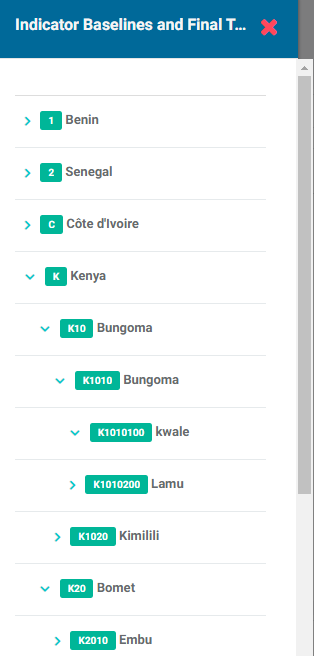
NOTE: depending on the geography level which was set when the indicator was created, all the locations in the list may not be available.
Clicking on the desired location brings up its Indicator Baseline and Final Targets popup window.
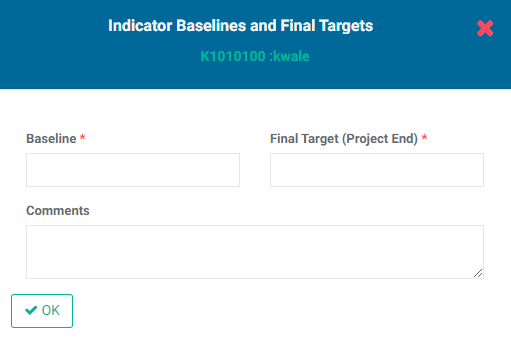
Enter the location's Baseline and Final Target, along with a comment (optional).
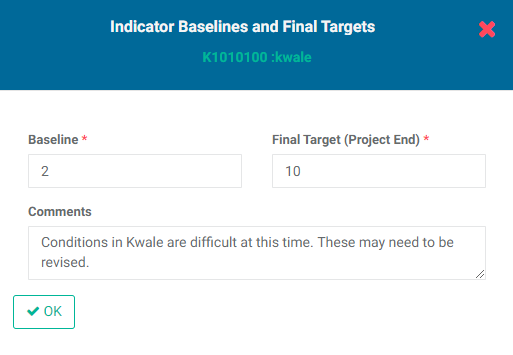
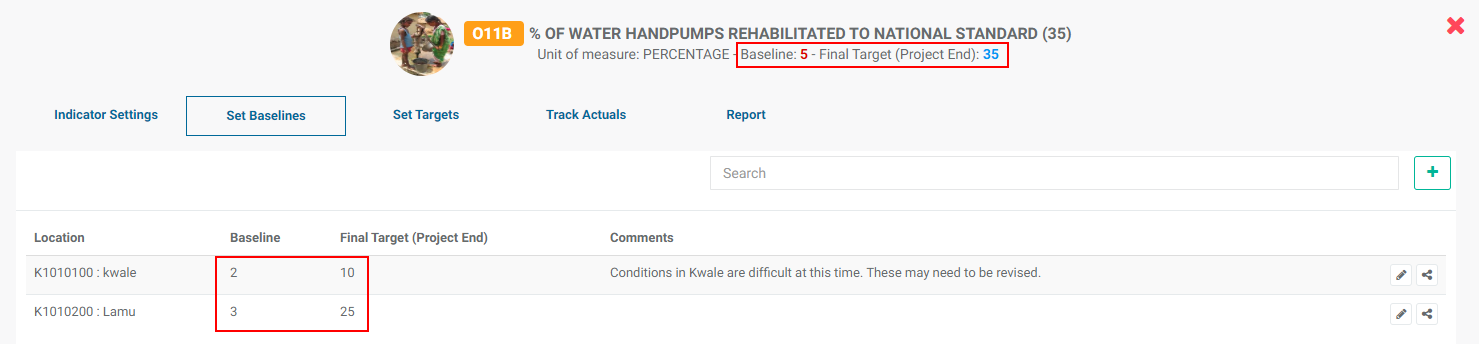
Click OK when you're done. The location and its baseline and target will appear on the screen.
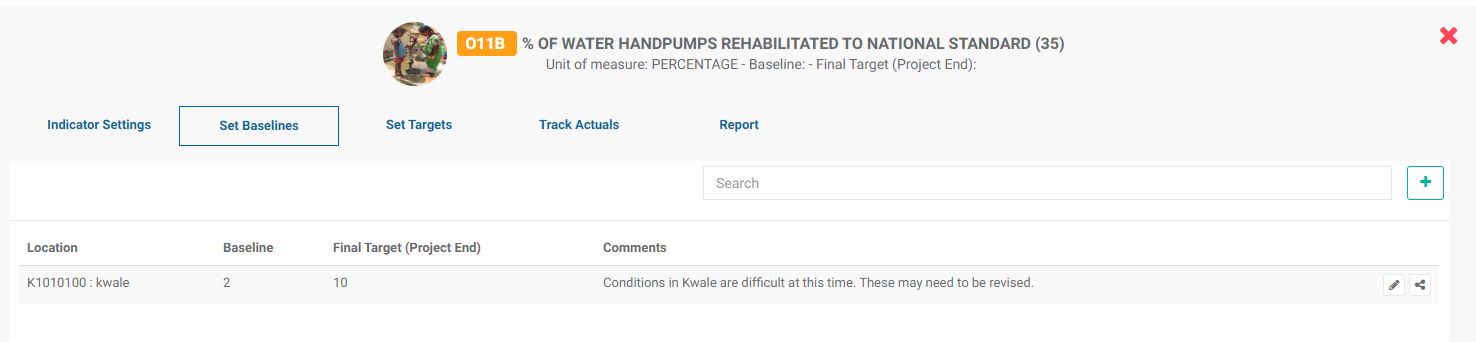
NOTE: as you add locations, baselines, and targets, the indicator header at top center of the screen will reflect the cumulative changes you make.
Prevously: Indicators: Set Permissions | Next: Indicators: Set Targets