Creating a Project: Project M&E Settings
The third tab of the project definition screen is M&E Settings. These settings are extremely important because they control how the system will handle project information, specifically for accurate project and financial reporting.
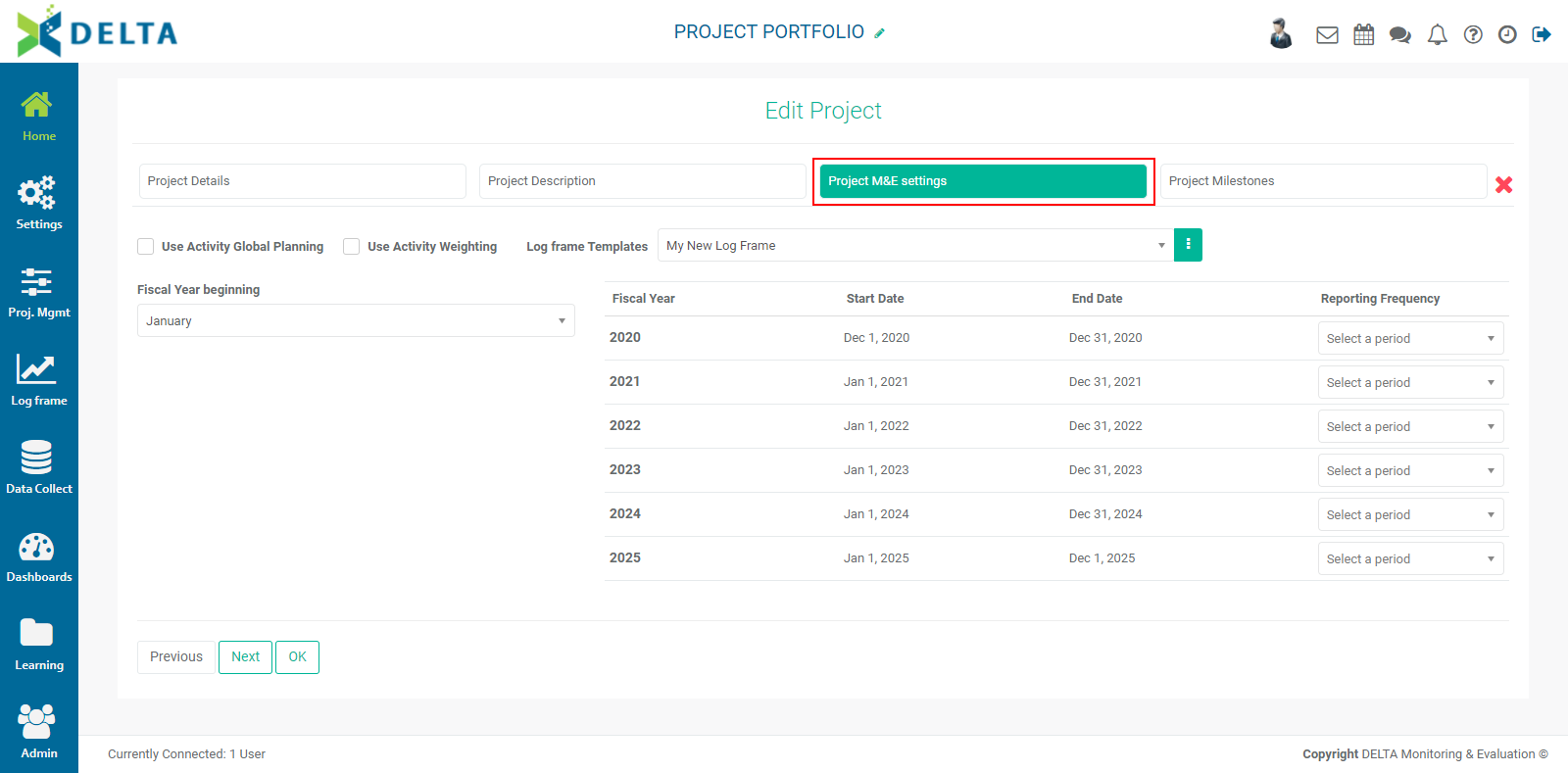
Delta supports up to three levels of project financial planning: Global, Annual, and Period. Check Use Activity Global Planning to enable planning of all project activities over the life of the entire project. If you leave this unchecked, the system will default to Annual Planning, where you'll plan activities year over year for each year of the project. Period Planning is always used, regardless of whether one or two levels above it are used.
IMPORTANT: once you've set your planning parameters, you will not be able to change them once the project has been saved. Make your selection carefully.
Some projects use weighted activities. Select this option if you want to enable weighting activities by budget, actual cost, or sum of the weights (sigma). The type of weighting is selected for each activity in the log frame of the project, in the Settings module. The use of Activity Weighting is described in detail in Project Settings: Log Frame: Using Activity Weights.
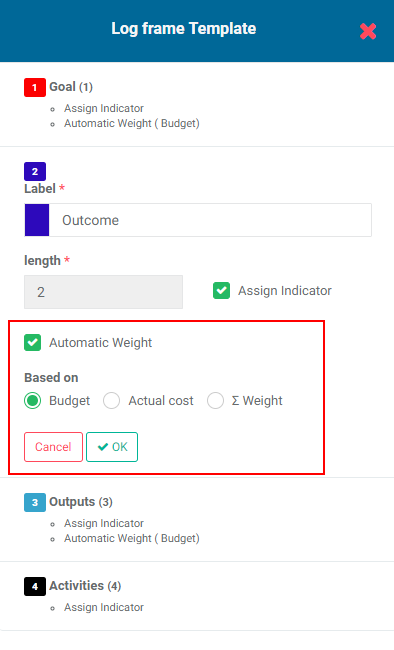
Select a Log Frame Template. Choosing Custom Log Frame will allow you to create or import a log frame that's specific to your project. Other templates can be created and added to the list at the Project level, as described in Portfolio Settings: Log Frame.
Select the correct month for the start of the fiscal year. IMPORTANT: Once you have selected this, the system calculates how to establish periods for the entire project. If you change your mind, any existing data will be erased.
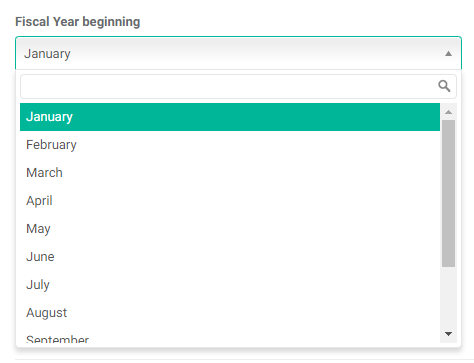
Note that the Start and End dates for each Fiscal Year on the right side of the screen change according to your selection in the Fiscal Year Beginning field.
Set the Reporting Frequency for each project year from the pick list at the right end of each line. You have the option of selecting different reporting frequencies for different project years if it's appropriate for the project.
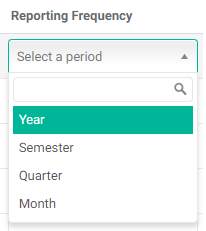
IMPORTANT: this is another setting which will result in data loss if you alter it after data has been entered into the project. Make your selections carefully.
You can click OK to save the project as is, or click Next to go to the Milestones tab of the project definition.
Previous: Creating a Project: Project Description | Next: Creating a Project: Project Milestones