Project Settings: Flag
Flags are used to associate a color to an activity or an indicator to highlight its current status. By convention, green/yellow/red are often used to correspond to Satisfactory/Warning/Unsatisfactory, but one can assign any number of flags, ranges, and colors.
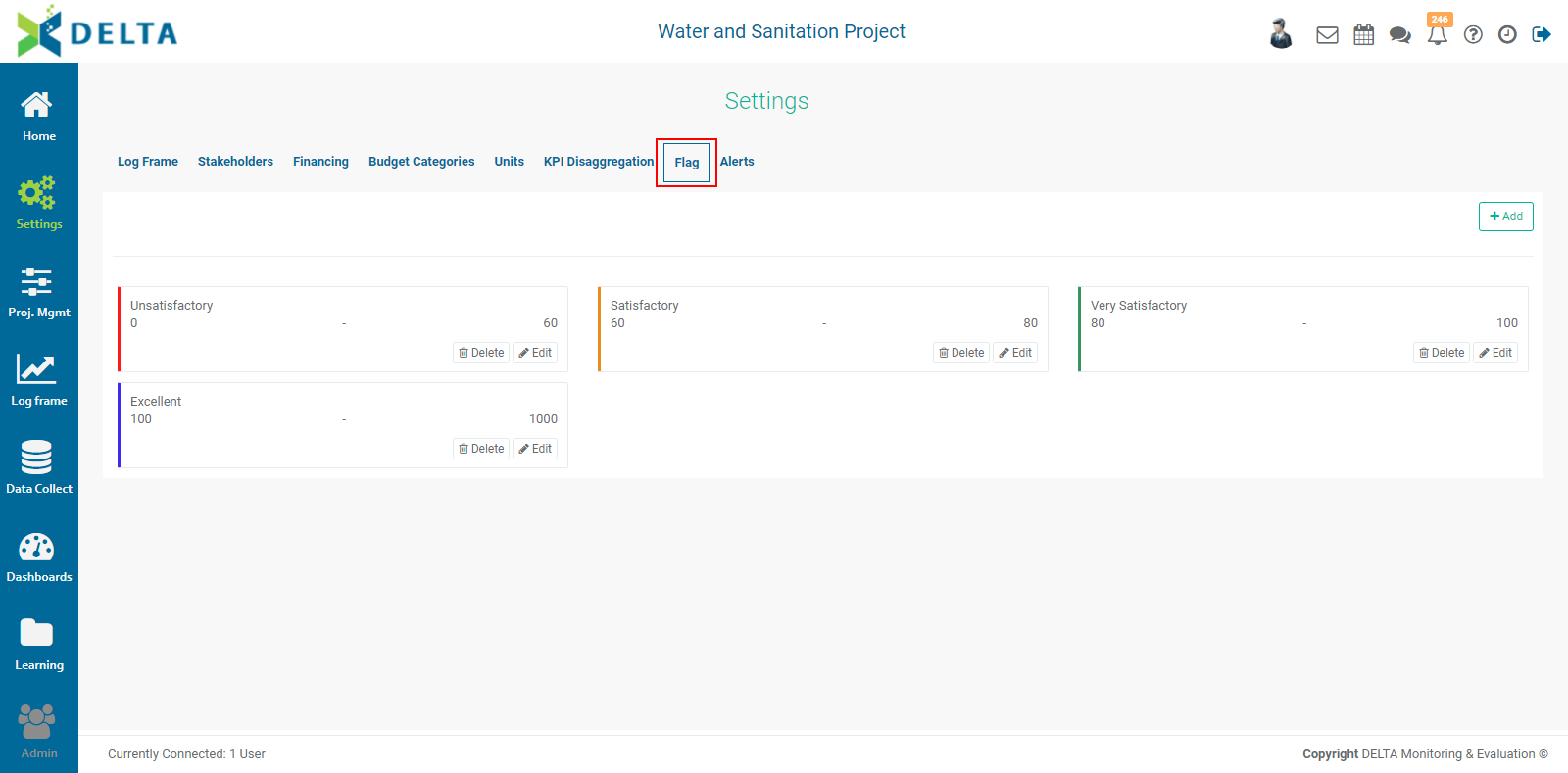
Click the +Add button to create a flag.
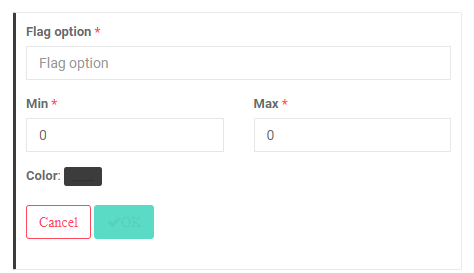
Enter the Flag Option (label) for the flag. Set its minimum and maximum, and click the color picker button to select your desired color for this range of values. Click OK when you're done to return to the Flags page. Add as many rnages as are needed.
NOTE: when creating the flags for a project, make sure the ranges don't overlap. Fractions/decimals may be used, for example a range of 0-20 followed by a range of 20.01-40.
It's also a good idea to have the maximum value of the last range exceed the actual expected maximum. For example, setting the maximum to 1000 will allow the system to display overperforming indicator values in their proper color for that range.
Previous: Project Settings: KPI Disaggregation | Next: Project Settings: Alerts