Project Settings: Financing
The Financing screen displays all the sources of funding for a particular project.
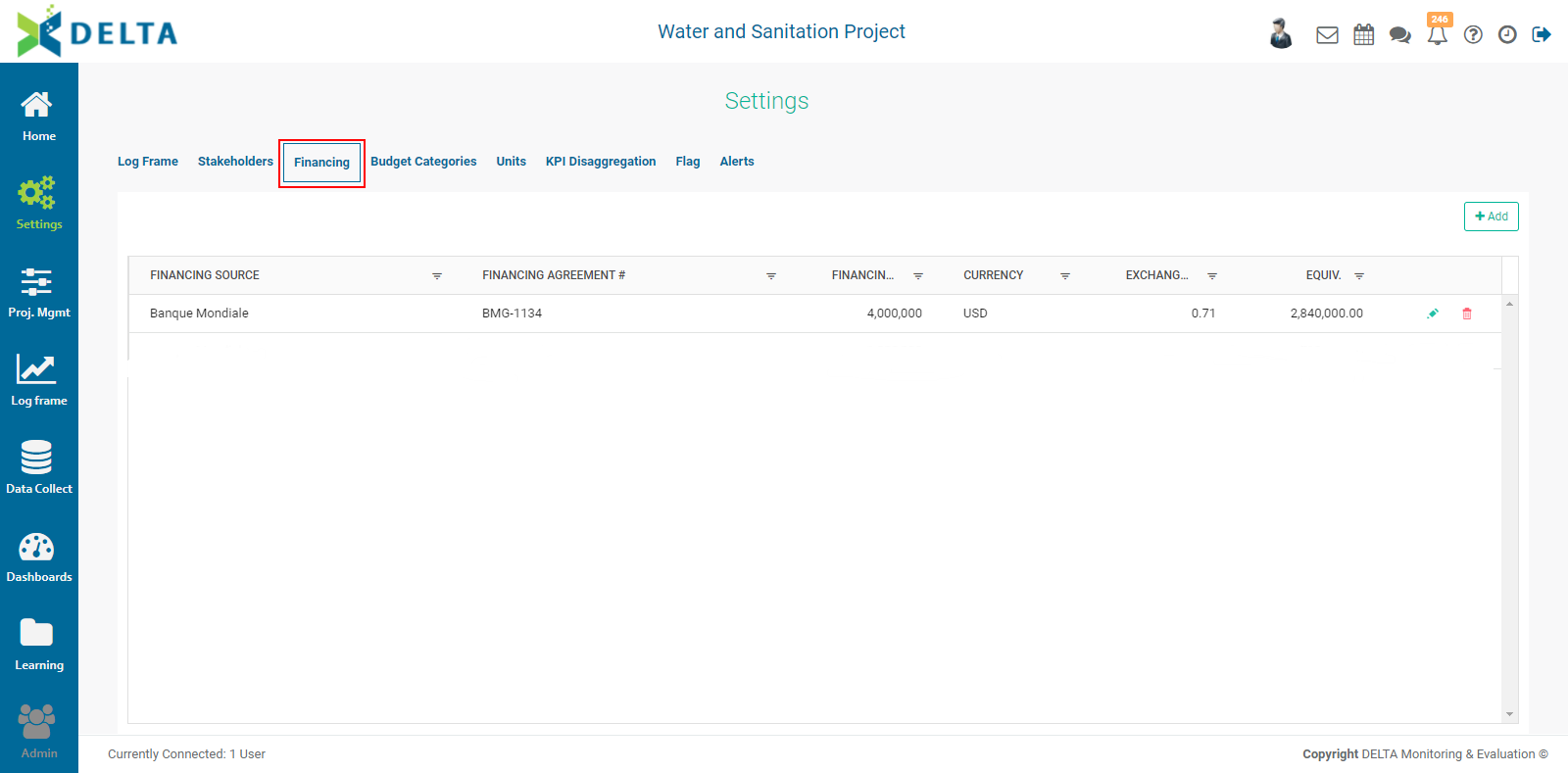
To add a financing source, click +Add at the top right and enter the information for that source. Mandatory items are marked with an asterisk.
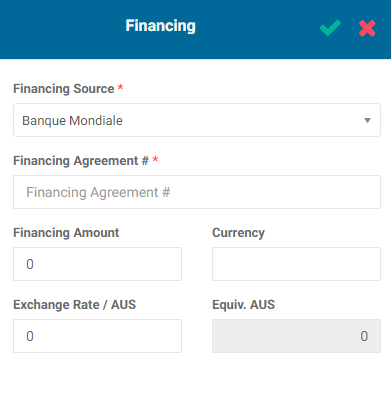
Click the checkmark in the popup window title bar when you're done. The new funding source will appear in the list.
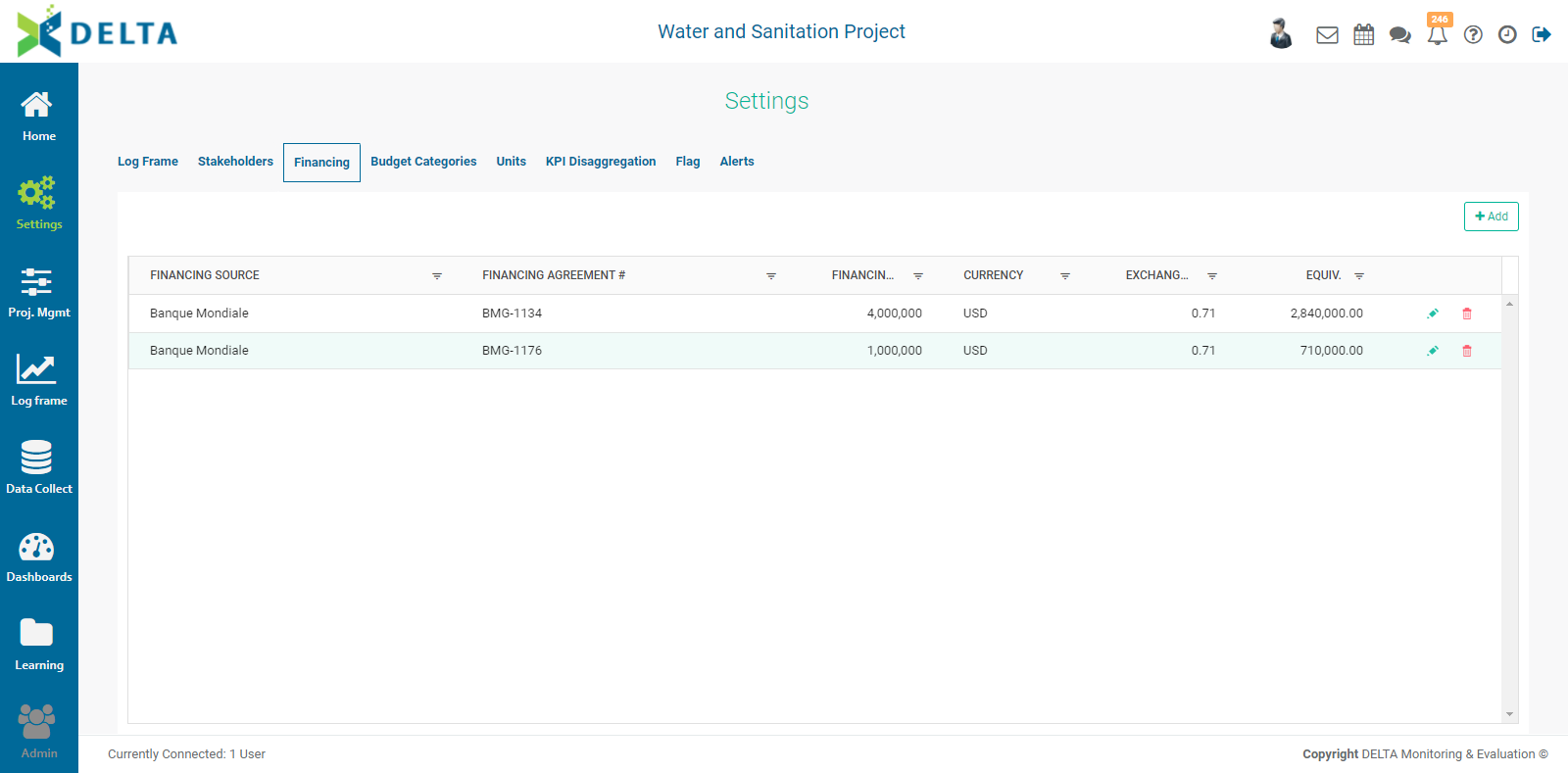
To edit a funding source, click its Edit icon. NOTE: you cannot edit the Financing Agreement field for the Financing Source once you've saved it.
To delete a funding source, click its Delete icon and confirm the deletion.
NOTE: The default base currency is set at the Portfolio level. The exchange rate entered in the Funding Sources popup window is a snapshot; live rates are not available. A suggested best practice is to revisit the rate quarterly, or at the same intervals as data collection, in order to ensure the financials are as accurate as possible.
Previous: Project Settings: Stakeholders | Next: Project Settings: Budget Categories